
Document Workflow Automation: 5 Ways to Save Time
The Paperwork Problem: 5 Ways Document Workflow Automation Saves Time
Estimated Read Time: 4 Minutes
Document workflow automation helps businesses reduce paperwork, eliminate repetitive tasks, and give employees more time to focus on their actual jobs.
How much time does your team spend printing, signing, scanning, emailing, searching for, and filing documents?
Think about a typical day in the office.
An employee prints a document, signs it, scans it, emails it to someone else, saves a copy, and files the original. Later, another employee needs that same document but cannot find it. So, they ask for it to be sent again.
Sound familiar?
These tasks may seem small. However, when employees repeat them across departments every day, they can create a significant productivity problem.
The real cost of paperwork is not always the paper. It is the employee time spent managing it.
What Is Document Workflow Automation?
Document workflow automation uses technology to simplify how businesses capture, organize, share, store, and retrieve documents.
Instead of manually printing, scanning, emailing, and filing every document, employees can use digital workflows to complete many of these steps more efficiently.
For example, an employee may scan a contract using a multifunction printer and send it directly to an approved shared folder or document management system.
As a result, the document can become easier for authorized employees to access without unnecessary printing, manual filing, or repeated emails.
Document workflow automation can help businesses:
- Reduce manual paperwork
- Save employee time
- Improve document accessibility
- Reduce repetitive administrative tasks
- Improve collaboration between departments
- Make better use of existing office technology
5 Ways to Reduce Paperwork and Improve Office Productivity
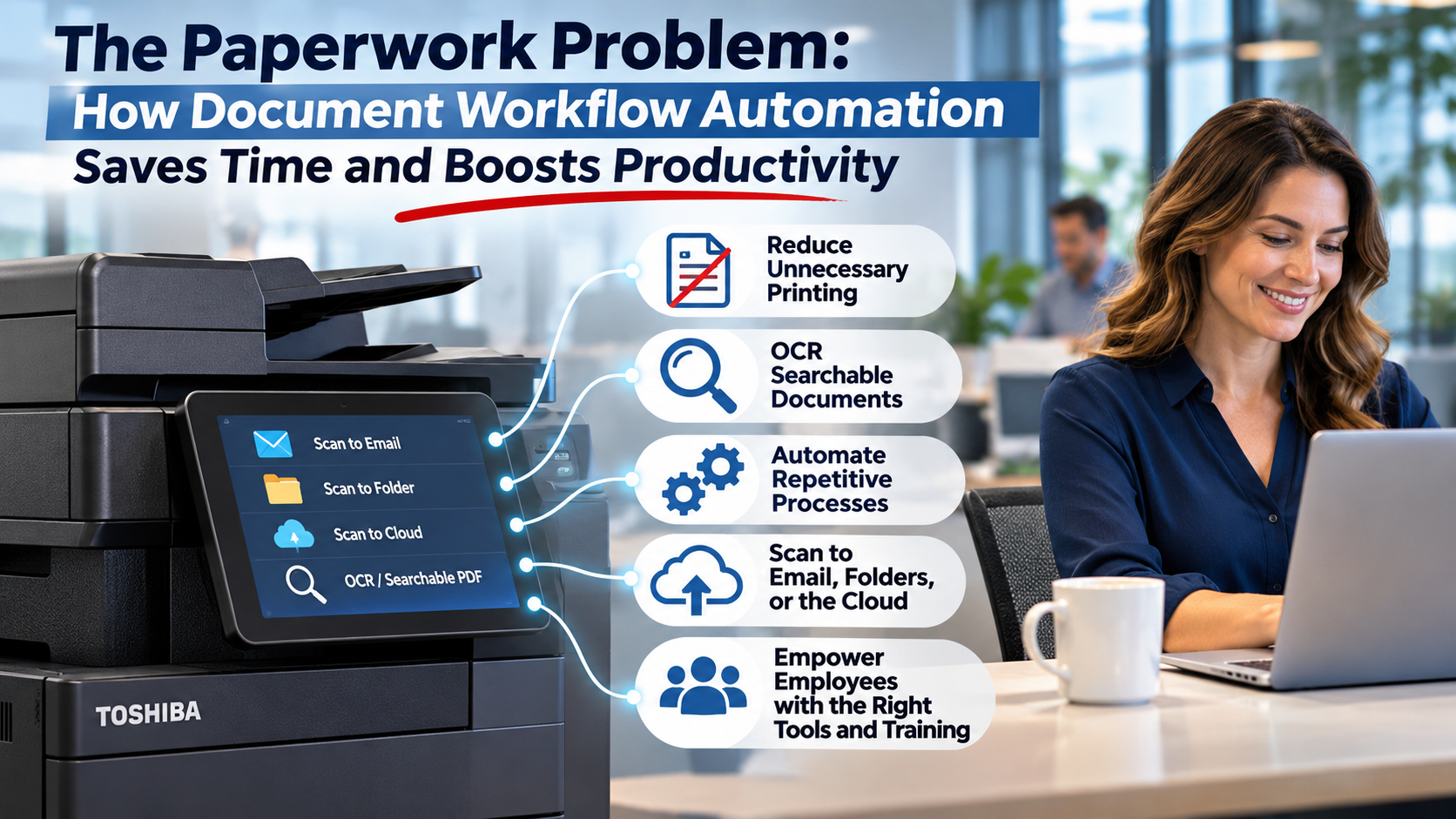
1. Stop Creating Unnecessary Paper Copies
Not every business document needs to be printed.
Yet many employees continue printing forms, contracts, invoices, and internal documents simply because that is how their department has always worked.
Digital document workflows can reduce unnecessary printing while keeping information accessible to the people who need it.
For example, teams can review, approve, share, and store appropriate documents electronically rather than passing paper copies between departments.
The benefit: Less unnecessary printing, fewer manual steps, and more efficient document handling.
2. Make Documents Easier to Find with OCR Scanning
How often do employees waste time searching for a document they know exists?
Whether it is an invoice, signed agreement, customer record, or project file, searching through paper folders and poorly organized digital files can slow down the workday.
Optical Character Recognition (OCR) technology can help solve this problem.
OCR converts readable text within scanned documents into searchable digital text. As a result, employees can search for words or information within properly processed files instead of manually reviewing every page.
Searchable PDFs can be especially helpful for businesses that manage large numbers of contracts, invoices, purchase orders, and customer documents.
The benefit: Employees can find information faster and spend less time searching through paperwork.
3. Automate Repetitive Document Processes
Many offices handle the same types of documents every day.
Invoices need processing. Purchase orders need approval. Contracts need storing. Customer documents need sharing.
However, employees often complete these processes manually, even when technology could simplify the workflow.
Document workflow automation can help reduce repetitive steps by routing scanned files to designated folders, shared locations, or compatible document management systems.
For example, a business could establish a workflow that sends scanned invoices to an approved accounting folder rather than requiring employees to manually email and organize each file.
Depending on the software and equipment in place, businesses may also be able to introduce additional routing and approval workflows.
The benefit: Fewer manual steps, more consistent processes, and less administrative work.
4. Connect Your Multifunction Printer to Digital Workflows
Today’s multifunction printers can do much more than print and copy documents.
Modern Toshiba multifunction printers support scanning features that can help businesses connect physical paperwork to digital workflows.
Depending on the model, available integrations, and configuration, employees may be able to:
- Scan documents directly to email
- Scan files into shared network folders
- Send documents to supported cloud platforms
- Create searchable PDFs with appropriate OCR capabilities
- Reduce repeated document handling
- Support consistent digital filing processes
These features can help businesses improve document accessibility without requiring employees to repeat unnecessary steps.
More importantly, organizations may already have some of these capabilities in their existing office equipment.
The benefit: Your multifunction printer becomes a more useful part of your business workflow rather than simply a device that prints documents.
5. Give Employees Better Tools and Training
Even the best office technology cannot improve productivity if employees do not know how to use it.
Many businesses invest in multifunction printers and document management tools but continue using outdated manual processes.
For example, employees may not realize they can scan directly to a shared folder or create searchable PDFs using available features.
A little training can make a meaningful difference.
Businesses should periodically review how employees use their office equipment and identify opportunities to simplify common tasks.
The benefit: Employees can make better use of existing technology while reducing unnecessary administrative work.
How Much Employee Time Could Better Document Workflows Save?
The potential value of document workflow automation becomes easier to understand when businesses look at time instead of paper costs.
Consider a hypothetical example.
If a business has 40 employees and improved document workflows save each employee just 15 minutes per workday, that equals:
- 10 employee hours saved per day
- 50 employee hours saved per five-day workweek
- Approximately 2,600 employee hours per year, assuming 52 five-day workweeks
These are illustrative figures, not guaranteed savings. Actual results depend on employee workflows, document volume, technology, and adoption.
However, the example demonstrates an important point.
Small improvements in everyday document handling can create meaningful productivity opportunities across an organization.
How Can Businesses Identify Inefficient Document Workflows?
A good starting point is to examine the everyday document tasks employees perform.
Ask your team:
- Which documents do employees print most often?
- Are employees scanning and emailing the same files repeatedly?
- How much time is spent searching for documents?
- Can employees easily access the files they need?
- Are departments using consistent filing procedures?
- Could existing multifunction printer features eliminate unnecessary steps?
These questions can help businesses identify where document workflow automation may deliver the most value.
Document Workflow Solutions for Houston, Austin, and Central Texas Businesses
Businesses throughout Houston, Austin, Round Rock, Brenham, Navasota, Bryan/College Station, and surrounding Texas communities rely on documents to support their daily operations.
Whether your organization manages invoices, contracts, customer records, HR paperwork, project files, or internal reports, efficient document handling can help employees stay productive.
Stargel Office Solutions works with businesses to identify opportunities to improve office technology and document workflows.
With Toshiba multifunction printers, available scanning capabilities, and managed print solutions, Stargel can help organizations explore ways to simplify everyday document handling and make better use of their equipment.
Frequently Asked Questions About Document Workflow Automation
What is the easiest way to reduce paperwork in an office?
Start by identifying documents that employees unnecessarily print, scan, email, or file. Then, review whether digital document workflows, searchable PDFs, or existing multifunction printer features can simplify those tasks.
Can a multifunction printer automate document workflows?
Yes. Depending on its capabilities and configuration, a multifunction printer can support document workflows such as scanning to email, shared folders, and compatible cloud services. Additional software may enable more advanced automation.
What is OCR scanning?
OCR stands for Optical Character Recognition. It is technology that converts text in scanned documents into searchable digital text, making information easier to locate and use.
Does document workflow automation mean going completely paperless?
No. Document workflow automation focuses on improving how documents move through a business. Some documents may still require printing, while others can be handled digitally to reduce unnecessary work.
How does document workflow automation improve employee productivity?
It can reduce repetitive tasks, simplify document sharing, improve access to information, and minimize time spent searching for or manually processing paperwork.
The Bottom Line: Your Office Technology Should Work for You
Businesses spend a lot of time looking for ways to improve productivity.
However, some of the biggest opportunities may be hiding in everyday processes that employees no longer question.
Reducing paperwork is not just about using less paper.
It is about helping employees spend less time managing documents and more time doing the work that moves your business forward.
At Stargel Office Solutions, we believe your office technology should work for your business, not create more work for your employees.
What could your team accomplish with more time and fewer repetitive tasks?
Contact Stargel Office Solutions to Discuss Smarter Document Workflows